 Pixolite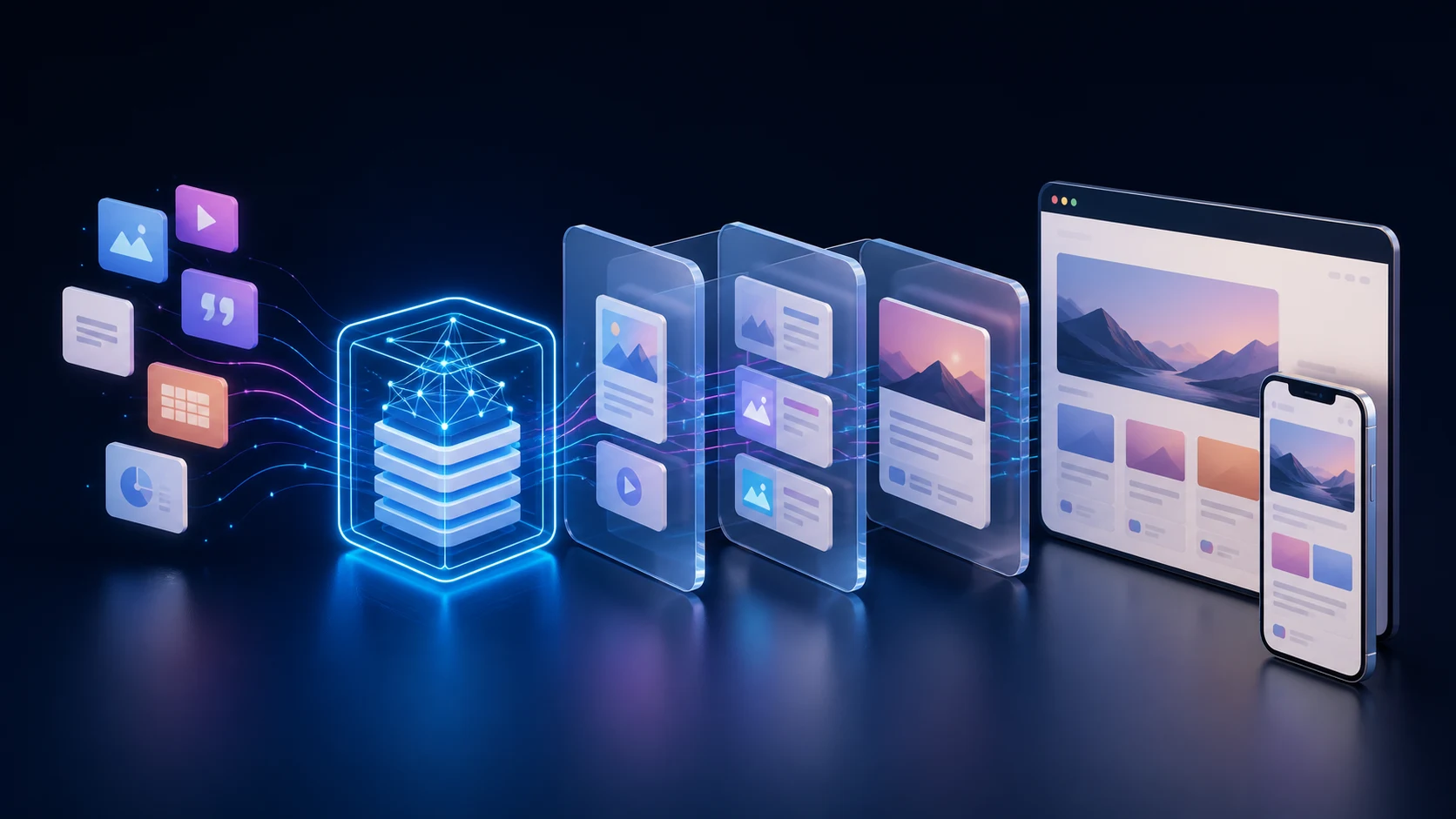
WordPress is often treated as an all-or-nothing choice: use its themes and templates, or leave it behind for a completely custom content system. A headless build offers a useful third option. Editors keep the familiar WordPress experience, while the public website is designed and engineered as a separate application.
That is the approach we chose for the latest Pixolite website. The result combines WordPress, React and a containerised production workflow, with Gravity Forms handling enquiries behind the scenes. This article explains the reasoning, the trade-offs and the lessons that matter to anyone considering a similar project.
What “headless WordPress” actually means
In a conventional WordPress website, WordPress manages the content and renders the pages visitors see. In a headless setup, those responsibilities are separated:
- WordPress manages content. Pages, articles, case studies, media and form entries remain in an established editorial system.
- A dedicated frontend presents the experience. React controls the interface, routing and interaction design.
- A content API connects the two. The frontend requests structured information and turns it into the final page.
This is not a workaround. WordPress provides developer APIs specifically so its content can be used by custom applications. Its official REST API handbook, for example, describes using WordPress content in entirely separate frontend experiences.
For Pixolite, the key benefit was control. The content team still gets WordPress, while the public site is not constrained by a traditional theme.
Why we chose a decoupled architecture
A headless architecture should solve real problems. It should not be chosen simply because it sounds modern.
We wanted the flexibility to create a distinctive interface, reuse consistent design components and treat performance, accessibility and responsive behaviour as first-class concerns. React gave us a strong foundation for that work, while WordPress avoided the cost and disruption of inventing a new editorial workflow.
The separation also creates a useful boundary. Content remains structured and portable, and the frontend can evolve without asking editors to relearn how to publish an article or update a case study.
The value of headless WordPress is not that it removes WordPress. It is that each part of the platform can focus on the job it does best.
The publishing experience still matters
It is easy to focus on frontend technology and overlook the people maintaining the website. A successful build needs a predictable publishing experience as much as it needs clean code.
We modelled the site around meaningful content types rather than one large collection of unstructured fields. Articles have titles, excerpts, categories, publication dates, search metadata and featured images. Case studies have their own structured project information. Navigation and key page metadata can also be maintained without editing the frontend application.
The frontend requests only the information needed for each view. It then applies the same presentation rules every time, helping new content remain visually consistent as the site grows.
Using containers for consistency
A decoupled website has more moving parts than a simple theme: the content system, application runtime, database and web-facing services all need to cooperate. We use Docker to define those parts as a repeatable application stack.
This gives development and production a shared foundation. Dependencies and service relationships are documented alongside the project rather than relying on a server that has been configured by memory over time. Docker’s own documentation describes Compose as a way to define and run multi-container applications across development, testing, CI and production environments; it also supports production-specific configuration.
Containers do not remove the need for operational care. Persistent data still needs backups, updates need testing, secrets must stay outside source control and deployments need health checks. What they provide is a clearer, more reproducible baseline.
Forms are a complete workflow, not just a component
The enquiry form looks like part of the React interface, but Gravity Forms remains responsible for the underlying form definition and stored entries. This preserves a practical administrative workflow while allowing the form to match the rest of the site.
There are three separate concerns behind a reliable contact form:
- Validation: required fields and input formats must be checked on the server, not only in the browser.
- Spam protection: a challenge token must be verified before a submission is trusted. Cloudflare’s Turnstile guidance explicitly requires server-side validation.
- Email delivery: notifications should use an authenticated mail service with a verified sender, while form entries remain available in WordPress as a reliable record.
Treating these as one end-to-end journey is important. A form is not complete merely because a success message appears in the browser.
Deployment without exposing operational details
The project is stored in version control and passes automated quality checks before changes are released. Deployment then updates the application in a controlled way and verifies that its services are healthy.
Configuration that varies between environments is kept separate from the code. Credentials and private keys are never committed to the repository, and the public website is the only part of the system that needs to be exposed to ordinary visitors.
This is a deliberately uneventful deployment model. The goal is not clever infrastructure; it is repeatable releases, clear rollback options and fewer surprises.
Performance and accessibility are design work
React does not make a website fast or accessible automatically. Those outcomes come from decisions made throughout the project.
For performance, we pay attention to image formats and dimensions, the amount of JavaScript delivered, caching, route-level data needs and server response times. For accessibility, we use semantic landmarks, logical heading levels, descriptive controls, keyboard-friendly interactions, visible focus states and appropriate colour contrast.
We use the Web Content Accessibility Guidelines as the reference point, supported by automated checks and manual review. Automated tools are valuable, but they cannot judge every interaction or content decision.
What we learned
The most important lesson is that the boundaries between systems deserve as much attention as the systems themselves. Content queries, cache invalidation, form validation, email delivery and deployment health all cross those boundaries.
A few principles proved particularly useful:
- Choose headless architecture for clear product reasons, not novelty.
- Design the editorial model before polishing the frontend.
- Keep private configuration outside the repository from the beginning.
- Test forms all the way from submission to stored entry and delivered notification.
- Make accessibility and performance part of everyday development, not a final audit.
- Prefer simple, observable deployments over fragile automation.
When headless WordPress is the right fit
This approach works well when a project needs a highly tailored frontend, structured content shared across channels, application-like interactions or a clear separation between editorial and presentation concerns.
It can be unnecessary for a straightforward brochure website with modest design requirements and a limited budget. A well-built traditional WordPress site may be faster to deliver and easier to maintain in that situation. The right architecture is the least complicated one that meets the project’s real needs.
Planning a WordPress or custom web project?
Pixolite designs and develops websites, applications and bespoke content platforms around the way each organisation actually works. If you are weighing up traditional WordPress, headless architecture or a fully custom build, tell us about the project. We will help you choose an approach that is maintainable, secure and proportionate.